School management software that keeps everything together.
OarClass brings attendance, student management, fees, results, timetables, parent communication, live learning and campus operations into one simple workspace built for modern schools and academies.
 OarClass Workspace
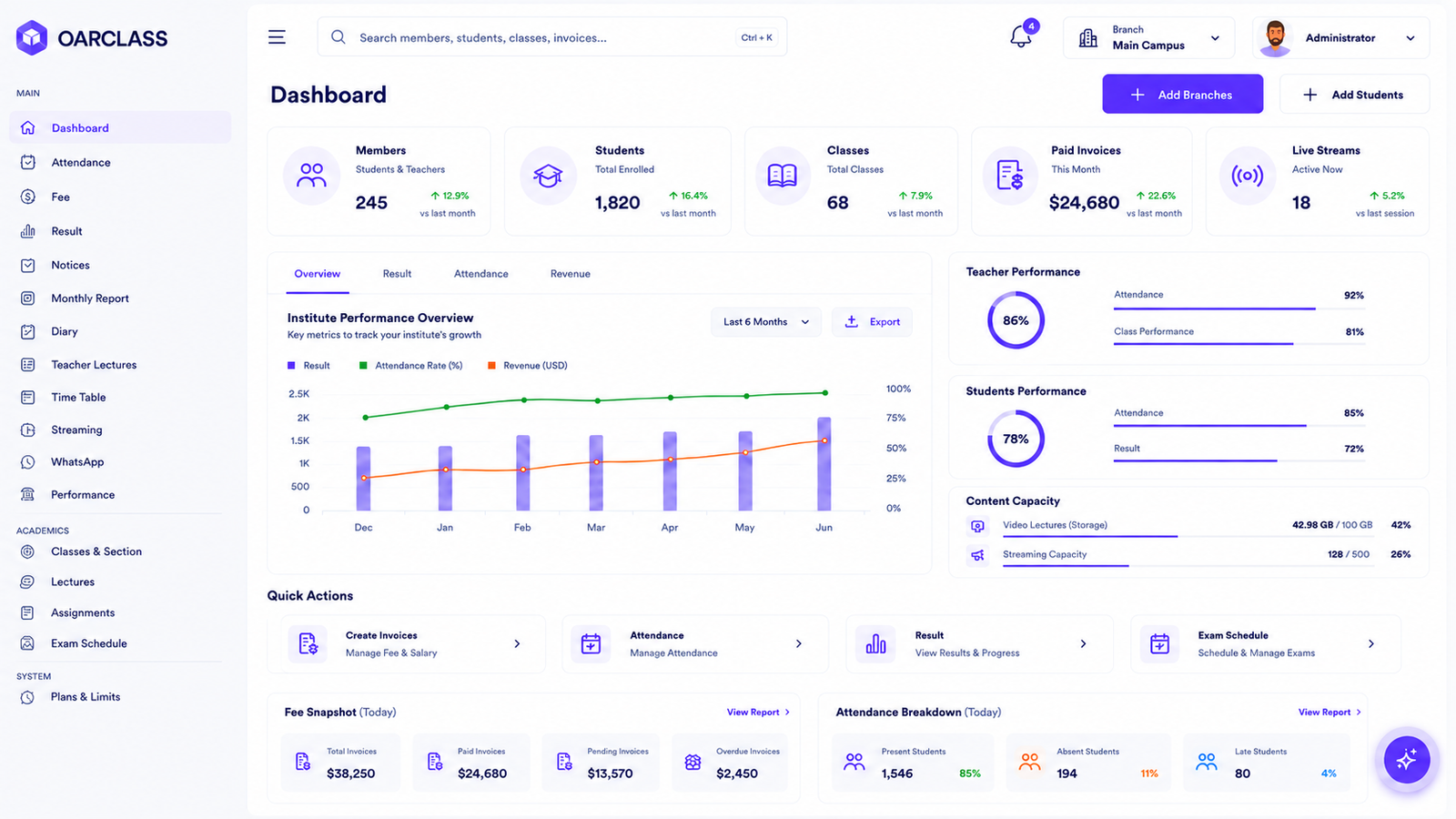
One connected platform
A school management system built around how schools actually work.
OarClass gives school owners, administrators and teachers one place to manage everyday academic and operational work without switching between disconnected systems.
From student records and attendance to fee management, exams, timetables and parent communication, each part of the platform works together around the same school data.
Explore all OarClass features →Built for schools, academies and growing education teams.
Whether you manage one campus or several, OarClass is designed to give administrators, teachers, students and parents a more connected experience. Instead of maintaining separate tools for each workflow, schools can manage their core operations through one structured school management platform.
Different roles. One connected school.
OarClass gives administrators, teachers, students, parents and accounts teams a workspace that matches what they actually need to do while keeping every part of the school connected to the same system.
Administration
See what is happening across the school without chasing information.
Administration teams can move from daily activity to academic oversight, fee information and campus management without maintaining separate records for every department.
Teachers
Spend less time maintaining records and more time teaching.
Teachers work from their own academic view where classes, attendance, results and teaching activity stay connected to the same student records used across the school.
Students
Make the school day easier to follow.
Students get a focused view of the information that matters to them rather than navigating the administrative side of the school platform.
Parents
Give families visibility without giving them the whole school system.
Parents can follow the information relevant to their child through a focused experience while internal school operations remain separate.
Accounts
Keep fee work connected to the students it belongs to.
Accounts teams can manage fee information and payment records without needing access to unrelated academic or school administration controls.
From setup to everyday school operations.
OarClass is designed to become part of the school workflow rather than another system staff have to work around. Set up the institution once, connect the people involved, then manage everyday academic and operational activity from the same platform.
Set up your school structure.
Create the school structure around campuses, classes, sections and the way your institution already operates.
Bring your school community in.
Add students and staff, then give administrators, teachers, students, parents and accounts teams access to the parts of OarClass relevant to them.
Run the school day from one place.
Manage attendance, student information, fees, timetables, results, teaching activity and parent communication without separating each workflow into another system.
See what is happening across the institution.
Because school activity stays connected, administrators can review academic and operational information from the same system instead of collecting reports from separate departments.
School management becomes easier when the information stays connected.
A connected school management system reduces the need to repeat the same data across spreadsheets, registers and separate software. OarClass keeps student management, attendance, fees, exams, timetables, learning activity and campus operations within the same structured environment.
See how OarClass features connect →Less time holding systems together. More time running the school.
Many schools still rely on a mixture of spreadsheets, paper records, messaging apps and separate software. The challenge is not simply storing information. It is keeping that information accurate, accessible and useful as the school grows.
Software should remove administrative friction, not create another layer of it.
OarClass is being built as school administration software that can bring structured school data and day-to-day workflows closer together. The aim is to reduce unnecessary duplication while giving each team clearer access to the information needed for their work.
Explore the OarClass platform →Built as one system, not a collection of school tools.
The way a school platform is structured matters as much as the number of features inside it. OarClass is designed around connected data, clear user roles and school structures that can continue to work as the institution grows.
School data stays connected to the people it belongs to.
Student information does not need to become a different record every time another department works with it. OarClass is structured so academic and operational workflows can work around the same underlying school data.
Student records · academic context · operational data
Different roles do not need the same software experience.
Administrators, teachers, students, parents and accounts teams interact with the school differently. Role-based access keeps each workspace focused while the information remains part of the same platform.
Administration · teachers · students · parents · accounts
The system can grow with the institution.
Schools and academies do not always stay in one building. A multi-campus structure allows branches to remain part of the same management environment instead of becoming isolated systems.
Branches · campuses · centralized oversight
School operations and learning can live in the same environment.
OarClass brings academic workflows and live learning closer to the systems already used to manage students, classes and the wider institution.
Learning workflows · live teaching · school context
The school does not operate from one screen size.
Administrative work may happen on a desktop while teachers, students and parents often need access from smaller devices. OarClass is designed with responsive role experiences rather than treating mobile as an afterthought.
Desktop · tablet · mobile
The difference is in how the pieces work together.
School management software becomes more useful when student records, staff access, campus structure, academic workflows and learning experiences are designed as parts of the same system. That connected structure is the foundation OarClass is being built around.
Explore the OarClass platform →School software should make access clearer, not broader.
A school platform handles information used by different people for very different reasons. OarClass is structured around controlled access, separated school environments and clear responsibility across each user role.
Role-based access
Administrators, teachers, students, parents and accounts teams can work within the areas relevant to their responsibilities instead of sharing one unrestricted system view.
School data separation
School information is structured around the institution it belongs to so different organisations can operate independently within the platform.
Controlled permissions
Access can follow responsibility. Staff do not need visibility into every academic, financial or administrative area simply because they use the same school platform.
One accountable system
Keeping workflows within a structured platform reduces the number of uncontrolled spreadsheets, shared files and disconnected systems used for everyday school operations.
Trust begins with knowing who can see what.
OarClass is being developed around clear school boundaries and permission-based access so institutions can manage academic and operational information through one structured environment without giving every user the same level of control.
Learn about OarClass security →Take the next step
Your school already has enough moving parts. The software shouldn’t be one of them.
OarClass is being built for schools that want a clearer way to manage people, information and everyday operations. Join the early access list or speak with us about what your institution needs.
Early access availability may vary while OarClass prepares for launch.
Frequently asked questions
A few things schools usually want to know first.
Practical answers about OarClass, how the platform is structured and what schools can expect as we move toward launch.
Still have a question? →OarClass is a school management platform being built to bring academic and operational workflows into one connected environment. It is designed for schools and academies that want to manage people, information and everyday school activity without relying on multiple disconnected tools.
OarClass is being designed for schools, academies and education teams. Different experiences are intended for administrators, teachers, students, parents and accounts staff so each user can work with the areas relevant to their responsibilities.
OarClass includes a multi-campus structure so institutions can organize branches within the same wider school environment instead of maintaining completely separate systems for every location.
No. OarClass uses role-based experiences so administrators, teachers, students, parents and accounts teams can work from areas suited to what they need to do. This also helps keep unrelated controls away from users who do not need them.
That is one of the problems the platform is intended to address. By keeping school information and related workflows within one structured system, institutions can reduce unnecessary duplication across registers, spreadsheets, shared files and separate administrative software.
OarClass is being designed with responsive experiences for desktop, tablet and mobile screens. This is important because administrators may work primarily from larger screens while teachers, students and parents often need access from smaller devices.
The platform is structured around school boundaries, user roles and permission-based access. The goal is to ensure that users work with the information relevant to their responsibilities rather than receiving the same level of access across the entire system.
OarClass is currently preparing for launch. Schools interested in using the platform can join the early-access list or contact the OarClass team to discuss their institution and requirements.