
OarClass Features

Run the school. Not ten different disconnected tools.

OarClass brings the daily systems schools rely on into one connected workspace from student records and attendance to results, timetables, fees, campuses and live learning.

Structure One connected school workspace
Access Role-aware experiences
Scale Built for single or multiple campuses

Current feature

Student management

Keep identity, academic context, class relationships and school records connected to one student profile.

Connects with Classes · Attendance · Results · Fees Explore feature →

The advantage is not another feature. It is the connection between them.

The rest of this page breaks these systems down individually while showing how student, academic, administrative and financial workflows stay connected across OarClass.

01

Student Management

Connected to Classes, attendance, results, parents, fees and academic activity.

One student record. The rest of the school connects to it.

OarClass gives schools a structured student management system for keeping identity, enrolment, class placement, academic activity and related school information connected instead of spreading the same student across multiple files and disconnected systems.

01

Student profiles

Keep core student information organised around one record rather than repeating the same details across separate tools.

02

Class relationships

Connect students with the classes, sections and academic structures they actually belong to.

03

Academic context

Attendance, results and school activity can refer back to the same student context instead of existing as isolated records.

04

Parent and fee connections

Keep guardian relationships and financial administration tied to the correct student record.
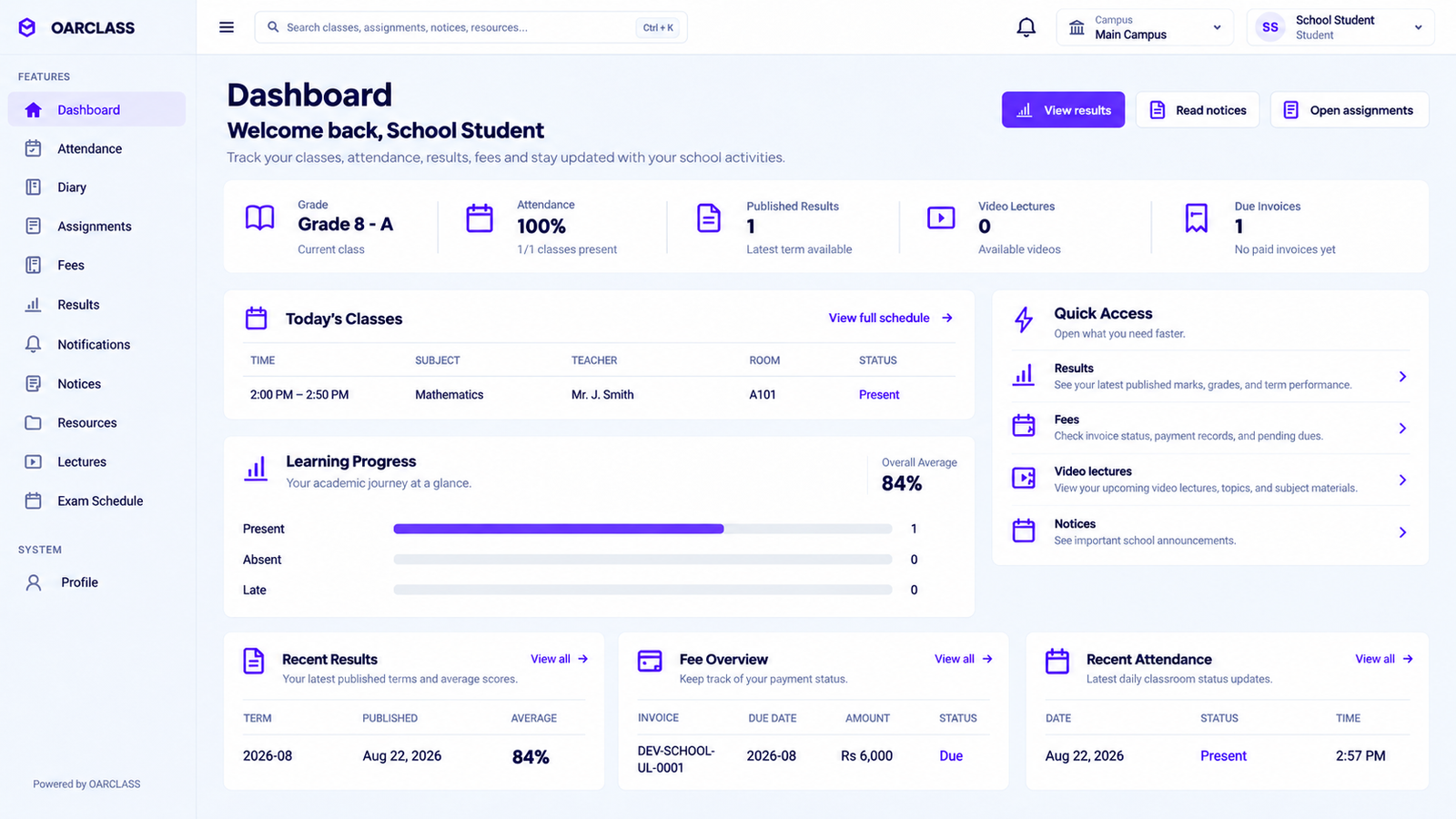
Product view OarClass student workspace
OarClass student management dashboard

02 — Attendance Management

Attendance should take minutes. Not create another admin system.

OarClass keeps attendance connected to students, classes and the wider academic record so schools can handle daily presence without maintaining separate registers and disconnected spreadsheets.
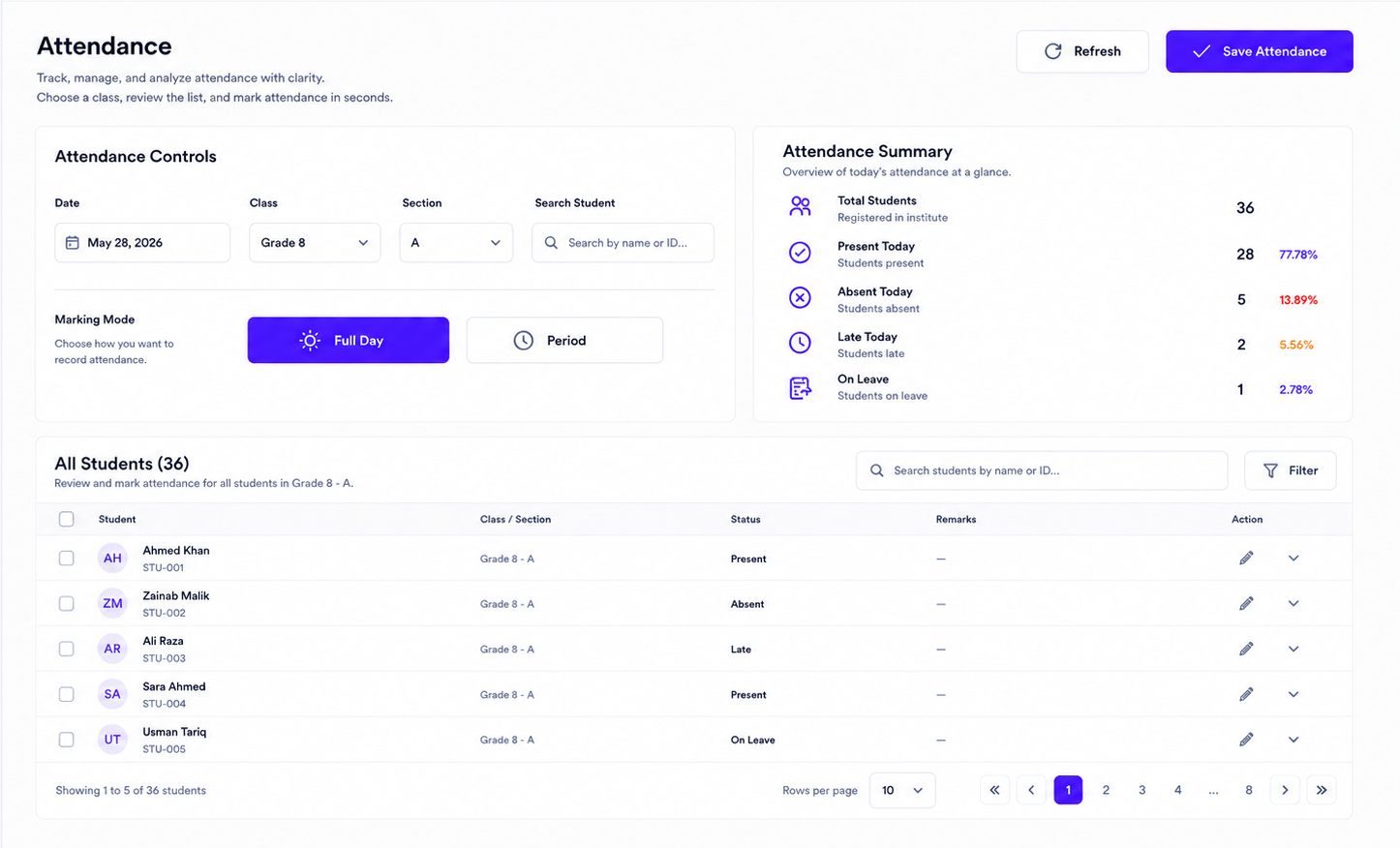
Connected with Students · Classes · Teachers · Parents · Academic reporting
Attendance workspace Real OarClass product view
OarClass attendance management dashboard
The daily workflow
01

Open the right class

Start from the class and students already maintained inside the school workspace.

02

Record attendance

Mark the day's student attendance without rebuilding a separate register.

03

Keep exceptions visible

Absence and attendance context remain associated with the correct student and class.

04

Use the record elsewhere

Attendance becomes part of the wider academic picture instead of living in an isolated file.

What stays connected One attendance record, useful across the school
01 Student record Attendance stays tied to the correct student.
02 Class context The record belongs to the class where it happened.
03 Parent visibility Relevant attendance information can stay connected to parent workflows.
04 Reporting Attendance contributes to the wider academic record.